Setting Up a VPS for Forex EA Trading
Updated
A VPS for forex EA trading moves the terminal away from your personal computer. That can reduce dependence on your home connection and laptop uptime, but it doesn't remove network failures, software errors or trading risk. You still need enough resources, a sensible location and a way to notice when something stops working. The server is part of the operating setup, not evidence that the strategy is profitable or allowed on a particular prop firm account.
Choosing a VPS for forex EA hosting is easier once you know the workload. Count the terminals, charts and monitoring tools, then test the actual connection and recovery process. This guide covers that sequence, along with access security, updates, backups and safe migration. It also explains why duplicate terminals can create a trading problem even when both servers are running perfectly. Use the checks to build a setup you can maintain and recover, rather than buying the lowest advertised latency figure.
VPS setup checklist
| Approach Factor | Managed VPS Strategy | Self-Managed VPS Strategy |
|---|---|---|
| Maintenance Overhead | Low; provider handles patches | High; requires manual updates |
| Cost Structure | Higher monthly subscription fees | Lower base monthly pricing |
| System Control | Restricted; standard environment | Full; total administrator access |
| Troubleshooting Responsibility | External; reliance on support | Internal; requires technical skill |
| Resource Scaling | Predictable; tiered service plans | Flexible; customized configurations |
What a VPS does and does not solve
A virtual private server serves primarily as a stable platform for your automated trading software to run without constant physical hardware reliance. Using a vps for forex ea ensures that your trading terminal remains connected to the broker even when your home computer sleeps or your power fails. It functions by hosting a remote Windows instance, allowing 24/5 uptime. However, it does not fix poorly coded strategies or flawed risk models. A server only provides infrastructure stability. It cannot predict market movements, adjust for unexpected volatility, or magically improve the performance of an unprofitable algorithm. For platform-specific checks, see the prop firm EA MT5 guide. For a wider product overview, read the prop firm EA review.
Think of your hosting setup as a vehicle. A high-performance car helps a skilled driver move quickly, but it cannot steer a reckless driver away from a crash. When you deploy a vps for forex ea, you gain operational consistency for your trade management. You ensure that stop losses and take profit levels remain active server-side. This setup does not, however, bypass slippage or guarantee fills during news events. You still face real-market risks, including gap risk at the start of the week or extreme market swings during major data releases. The prop firm EA MT4 guide covers terminal setup checks.
Optimize server connection geography
Consider the technical limitations during execution. If your strategy relies on an unstable internet connection from a local machine, switching to a remote server reduces the risk of missed orders. This does not mean it solves execution delays caused by distant broker servers. If your broker is based in London and your server is in New York, you might still suffer from unnecessary network lag. Always check that the physical location of your machine aligns with the broker for the best results. The server handles the connection, not the market physics.
Troubleshooting often involves checking the logs for gaps in connectivity. If your EA stops placing trades, examine the terminal logs first. It might be a credential expiration, an update, or a simple lack of available disk space. Do not assume the VPS provider is at fault for every disconnect. Often, the issue lies within the software configuration or an operating system update that forced a reboot. Establish a routine check for your remote environment to ensure that everything remains operational throughout the busy trading week.
Choose the trading location before the server
Proximity remains the most critical factor when choosing where your trading server resides. You want the lowest possible round-trip time between your platform and your broker's servers. Every millisecond counts when volatility hits the markets. Selecting a vps for forex ea in a different continent from your broker introduces unnecessary delays. If your broker operates in a specific data center, try to find a hosting provider that offers servers in the same region. This minimizes latency and maximizes the chances of getting your orders filled as expected.
Think about a scenario where you trade high-frequency scalping strategies. Even a 50-millisecond delay might turn a profitable trade into a losing one due to slippage. Check the ping time by using the command prompt on your machine to test connectivity to the broker's IP. A lower number indicates a faster, more reliable path for your orders. When evaluating a potential host, ask them about their data center locations and if they offer low-latency routes specifically for the financial services industry. This simple step makes a massive difference.
Prioritize latency over server cost
Avoid the trap of choosing the cheapest option without checking the geography. A server that costs $5 less per month but adds 100 milliseconds of latency is a poor deal. You pay for that cost in lost pips and failed entries. Always prioritize speed and reliability over nominal monthly subscription savings. If you are unsure where your broker is located, contact their support department directly. Ask them for their primary trade server region so you can select the most appropriate hosting location for your professional trading needs.
Scenario: You notice your trades consistently experience significant slippage compared to your backtests. This often signals a geographical mismatch between your server and the broker. Investigate the routing paths. Sometimes, a provider offers optimized paths that bypass general internet congestion. By picking the right location, you solve a core operational problem before even installing your terminal. A well-placed server acts as a foundational element for consistent trade execution. Take the time to map out your infrastructure correctly before moving your capital to a new environment.
Assess latency without chasing a single number
Many traders obsess over achieving the lowest possible millisecond ping. While speed is important, stability is often more valuable. A connection that bounces between 1ms and 50ms is far worse than a steady 10ms connection. When setting up a vps for forex ea, look for consistency in the response times. Use tools to monitor your ping over 24 hours to identify any spikes. Stable latency ensures that your automated software behaves predictably, which is crucial for managing your risk and following your trading plan.
Network jitter represents a silent killer for automated systems. It creates variance in execution that ruins the efficiency of your strategy. When assessing a provider, check if they offer specialized financial networking. Standard web hosting plans often share bandwidth with thousands of other users, leading to erratic performance. For a serious trader, dedicated or managed VPS services usually provide a more stable path. Prioritize a connection that stays flat and predictable over one that is technically faster but prone to intermittent bursts of instability.
Document server stability during trading
Practical troubleshooting involves running continuous ping tests during market hours. If you see wide fluctuations, contact the support team immediately. Ask if they can optimize your routing or switch you to a different node. Document these findings in your logbook. If the jitter continues, consider moving to a more premium service. Your goal is to eliminate variables that you cannot control. By stabilizing your latency, you ensure the EA executes precisely as you designed it, without unnecessary outside interference or random delays.
Consider the impact of network load during major economic events. Even with a good connection, news spikes can saturate local routing. Your server should be robust enough to handle these bursts. Do not rely on promises of perfection. Instead, build your system to expect occasional latency spikes. If your strategy requires extremely tight execution, adjust your entry logic to account for expected market noise. A sensible trader knows that network conditions are never static. Stay flexible and monitor your ping results to maintain a reliable trading edge.
Match CPU, RAM and storage to the workload
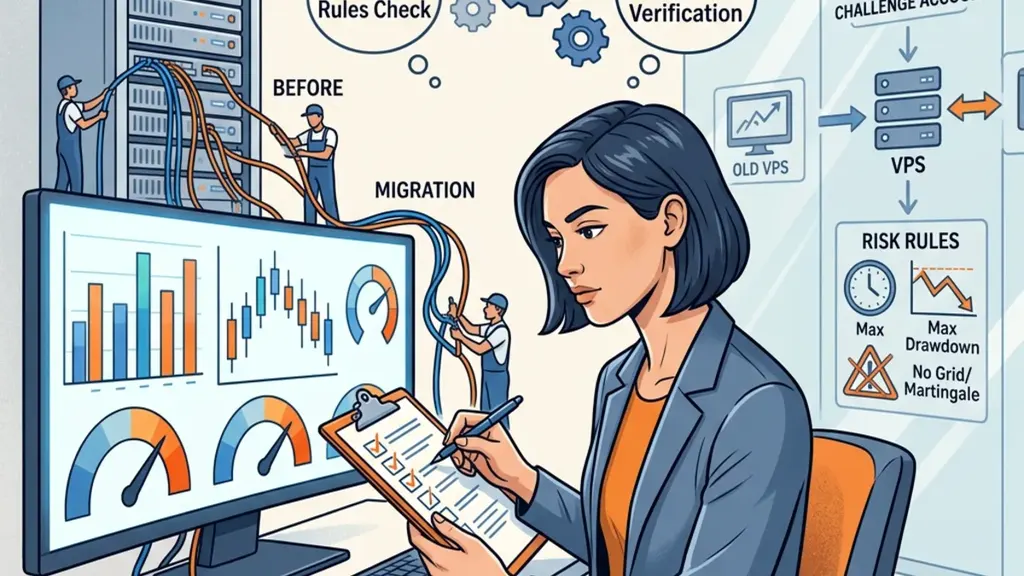
Do not overspend on server power you will never actually utilize. A standard MT4 or MT5 terminal consumes a predictable amount of resources. If you only run 1 or 2 terminals on your vps for forex ea, a basic dual-core CPU with 2GB or 4GB of RAM is often sufficient. However, running 10 terminals simultaneously on the same machine will quickly crash your performance. Always calculate your resource requirements by monitoring your Task Manager while running your terminals during a busy trading period to get a realistic view.
Storage is rarely the bottleneck for trading servers, but quality matters. SSD storage is mandatory for fast terminal loading and log processing. Avoid providers that still use mechanical hard drives. A slow drive leads to system freezing when you need to switch screens quickly. Also, keep your environment clean. Regularly delete old logs and reports that accumulate over months. This prevents your disk from filling up, which can cause the trading terminal to hang or even stop placing new trades during critical market sessions.
Dedicated hardware for live trading
Consider the scenario where you run heavy optimization tasks on the same server used for live trading. This is a common mistake that often ends in disaster. Never run backtesting or resource-intensive optimization while your live account is active. These processes saturate your CPU and cause lag, which impacts your live execution. If you need to perform heavy calculations, move them to a separate machine. Keep your live trading server lean, mean, and dedicated only to the execution of your active positions and account monitoring.
When evaluating a hosting package, look for scalability. Can you upgrade your RAM or CPU on the fly if your strategy grows more complex? Many providers allow you to scale resources without moving to a new machine. This flexibility is a major advantage. Start with a moderate plan and monitor your CPU usage. If you consistently stay above 70% utilization, it is time for an upgrade. Avoid waiting until the machine crashes to decide that you need more memory for your automated systems.
Check Windows, licensing and access requirements
Most trading terminals require a Windows environment to function properly. When choosing a vps for forex ea, ensure you are getting a licensed version of Windows Server. Some cheap providers offer non-standard versions that might conflict with MetaTrader. Always verify that you have full Administrator access to the machine. You need this level of control to install necessary updates, configure firewalls, and manage the specific security settings required for your trading software to run safely 24 hours a day without interference.
Check if your provider handles automatic Windows updates. While updates are necessary for security, they can force a restart and kill your active trades if you are not careful. Set your server to notify you before applying major updates. Better yet, schedule these updates for the weekend when the markets are closed. If your host forces automatic updates without warning, look for a more professional provider. You need total control over your system's uptime to manage your risk and compliance requirements effectively.
Enforce secure remote access controls
Remote Desktop Protocol is your main way to manage the server. Use a strong password and consider changing the default port to reduce brute-force attacks. Secure access is just as important as the trading logic itself. If an unauthorized person gains access to your server, they could potentially close your positions or alter your settings. Use two-factor authentication if your provider offers it. This extra layer of protection keeps your account safe from prying eyes and ensures that only you control your trading decisions.
Scenario: You encounter an error stating that your terminal cannot connect to the server because of a Windows firewall restriction. This is a common hurdle for new setups. Learn how to create exceptions in the firewall settings for your specific platform. This ensures your terminal can send and receive data without being blocked. Keep a documented guide for your specific setup. If you ever need to rebuild your environment, having clear notes on access and permissions will save you a lot of time and potential frustration.
Install a clean trading environment
A cluttered machine is an invitation to failure. When you start using a vps for forex ea, install only the necessary software. This includes your trading platform, any required EA files, and nothing else. Avoid browsing the web, downloading third-party plugins, or checking email on your trading server. Every additional piece of software you install introduces potential conflicts and security vulnerabilities. A clean, dedicated environment performs faster and remains much easier to troubleshoot when things go wrong during a high-stakes trading day.
Organize your files logically. Keep your EA source code, presets, and configuration files in a dedicated folder on your server. When you perform regular maintenance, you will know exactly where your critical data resides. If you need to back up your setup, it becomes a simple task of copying one folder. A messy file structure leads to mistakes, such as using the wrong version of an EA or loading the wrong preset, which can easily ruin your account in just a few clicks.
Identify errors via log files
Consider the role of logs in your maintenance routine. Trading terminals produce a lot of data. Check your log folders at the end of each week. If you notice unusual errors, investigate them immediately. Maybe your EA is struggling to place orders because of a symbol suffix mismatch or a lack of margin. By keeping your environment clean, you make it much easier to spot these issues early. Do not wait for a catastrophic failure to review the logs for signs of trouble.
Practice good hygiene regarding your software versions. Always document which version of the platform you are running. If a new update comes out, test it on a demo account before applying it to your main server. This prevents unexpected glitches from affecting your live performance. A consistent environment allows you to isolate variables when things go wrong. If you know exactly what is installed and how it is configured, you can solve almost any problem quickly without guessing which piece of software caused the crash.
Secure credentials and remote access
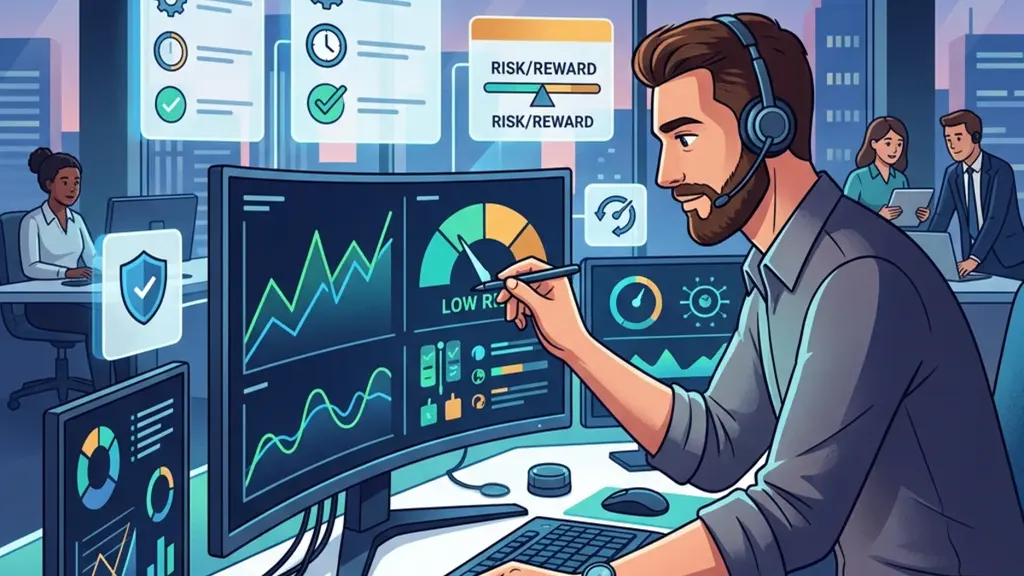
Security is a non-negotiable aspect of using a vps for forex ea. Your login credentials for the server should be complex and unique. Never reuse passwords from your email or other trading accounts. Use a password manager to store these details securely. If your server is compromised, the attacker has a direct line to your broker account through the open terminal. Protect your digital workspace as diligently as you protect your actual bank account. It only takes one slip for a malicious entity to cause significant harm.
When connecting to your server, use secure methods. Avoid public Wi-Fi without a VPN. If you must connect from a remote location, ensure your own connection is encrypted. Many providers offer a web-based console to access your server, which acts as a secondary layer of security. Use it if you suspect your primary remote desktop access might be compromised. Regular password changes for your server are also recommended. A proactive stance on security keeps your trading operation running smoothly without the constant fear of unauthorized intrusion.
Safeguard server access credentials
Consider the risk of credentials being saved on local machines. Never leave your server password saved in a text file on your laptop or shared computer. If your local device is stolen, your trading server is immediately vulnerable. If you use a remote desktop file, encrypt it with a master password. These small habits add up to a much stronger security posture. Treat your server as a digital vault. Everything inside it, from your algorithms to your account details, deserves high-level protection at all times.
Scenario: You receive an alert about a failed login attempt from an unknown IP address. Do not ignore this. Check your server security logs immediately. It might be a simple bot, but it could also be a targeted attack. Implement an IP whitelist if possible so that only your home or work network can access the server. This effectively closes the door to 99% of potential threats. By limiting the attack surface, you protect your capital and maintain the integrity of your entire trading system.
Separate terminals and avoid duplicate execution
Running multiple strategies on the same terminal is a recipe for disaster. If you use a vps for forex ea, isolate each strategy by running it on its own terminal instance. This prevents cross-contamination of logic and makes it clear which EA is responsible for which trade. If a single terminal crashes, you do not lose the entire portfolio of automated strategies. Proper separation allows you to monitor each trade path independently, ensuring that your risk management rules remain intact for every account that you manage.
Duplicate execution occurs when two terminals try to manage the same account simultaneously. This often leads to conflicting orders or double-positioning. Always ensure that each terminal is configured with a unique Magic Number for its EA. This allows the system to distinguish between trades placed by different algorithms. If your EA does not support custom magic numbers, reconsider using it. Without this control, you cannot accurately manage your risk or analyze the individual performance of each automated strategy in your professional portfolio.
Organize terminal instances for control
Organize your server desktop for clarity. Label each terminal instance clearly with its account number and the strategy name. When you log in, you should instantly recognize the status of each terminal. If one terminal hangs, you can address it immediately without disturbing the others. This organized approach reduces the likelihood of manual errors. Remember that you are responsible for every trade placed on your account, even those initiated by your software. Keep your workspace orderly to maintain full control of your automated risk.
Scenario: You decide to add a new strategy to your existing server. Do not just drop it into an active terminal. Test the interaction first. See if the new EA interferes with existing orders or causes high CPU usage. If it does, move it to a fresh terminal instance. By maintaining strict separation, you ensure that one faulty script does not jeopardize your entire operation. A organized, modular setup is the hallmark of a professional trader who values consistent, reliable performance over complex, cluttered systems.
Keep account and server clocks straight
Time synchronization is vital for your trading. Your server, your trading terminal, and your broker's server should all agree on the time. When you use a vps for forex ea, the system clock is usually set to UTC, but your broker might use a different time zone. If your EA depends on time-based triggers like session opens or news filters, a clock mismatch will cause your strategy to fire at the wrong time. This often leads to missed opportunities or trades taken during disadvantageous market conditions.
Check your server's system time against the official time used by your broker. Most trading platforms automatically sync to the broker server time, but this can sometimes be masked by the VPS system settings. If you notice a significant discrepancy, adjust your EA logic to account for the difference or sync your server time more precisely. Maintaining accurate time is essential for strategies that need to avoid specific news events or liquidity-starved hours. A small time error can lead to a major performance drift.
Adjust filters for time changes
Consider how daylight savings changes affect your setup. Some brokers shift their terminal time by an hour during spring or autumn, while others do not. This creates a trap for the unwary. When the clocks change, re-check your EA inputs and timing filters. If you do not adjust for these changes, you may find your software trading in the middle of a major news release, contrary to your original plan. Stay vigilant during these periods to avoid costly operational surprises in your account.
Scenario: Your strategy is designed to avoid trading during the Asian session, but it consistently places orders during that time. The problem is likely a clock mismatch. Verify the time zone settings on your server and ensure they match the requirements of your EA code. Keep a log of any time adjustments you make. This proactive habit prevents your system from operating in the wrong market conditions, keeping your strategy aligned with your intended risk management profile throughout the entire trading week.

Design useful uptime and trade alerts
Reliable monitoring keeps your automated systems visible even when you are away from the desk. When you use a vps for forex ea, you must configure notification systems that trigger on critical events. Simple emails often lag, so consider using mobile push notifications via your terminal app for instant visibility. If your platform loses its connection to the broker, your alert system should capture this immediately. Always test the delay between an event and receiving the notification. This latency can be the difference between a minor hiccup and a significant breach of your risk parameters.
Your alerts should prioritize actionable intelligence rather than raw data streams. A high frequency of heartbeat signals might overwhelm your attention, leading to notification fatigue. Instead, set triggers for specific failures like account equity drops, unexpected terminal shutdowns, or rejected orders. When a trade fails to execute because of a rule violation, the system needs to report the specific error code. By documenting these error codes in your log files, you can quickly identify whether the issue is network-related, a broker server side limitation, or a local logic conflict within your strategy code.
Implement automated heartbeat monitoring
Consider the scenario where your server undergoes a maintenance cycle without your knowledge. A well-designed alert setup includes a periodic health check that confirms the software is still running every hour. You might use a simple watchdog script that touches a file or sends a minimal status message to your mobile device. If that message fails to arrive, you know to investigate your remote environment manually. This proactive approach prevents the common trap of assuming everything is functioning perfectly just because you haven't seen a specific error notification lately.
Finally, ensure your alerts include context about the affected account. If you manage multiple simulated accounts on the same machine, include the account number in every notification. This prevents you from panicking over an alert from a secondary account while missing a critical failure on your primary challenge account. Keep a simple spreadsheet mapping each notification type to the required corrective action. When an alert arrives, your response should be mechanical and planned. Don't waste time trying to diagnose issues while your capital is at risk in the open market.
Test network failures and reconnection behaviour
Network stability is rarely perfect, yet many traders treat their connection as a constant variable. When testing a vps for forex ea, you should force-disconnect your server to observe how the terminal handles the transition. Does the software automatically re-authenticate? Does it try to place missing orders, or does it wait for manual confirmation? Understanding this behavior is vital because a messy reconnection could result in double-opening positions. Always check your broker logs after a simulated outage to confirm that the platform didn't send redundant requests while you were offline.
The way your terminal handles symbol pricing after a reconnection also matters significantly. If the platform lags during the update, your automated entry might trigger on stale prices. Check if your strategy has logic to verify the age of the quote before executing a market order. If it doesn't, you might find your trades filled at unfavorable rates just because your terminal was catching up. This is a common pitfall that ruins performance in volatile conditions. Ensure your logic remains robust enough to wait for fresh, valid market data.
Verify server-side stop loss orders
Think about what happens if the network drops during an active trade. Your stop loss should reside on the server side, not just in the local terminal logic. By forcing a network failure while an active trade is open, you can confirm whether the broker registers your stop loss order correctly. Never assume that your local terminal is the only thing protecting your account. If the server doesn't hold your protective order, your capital is exposed to every second the internet connection remains severed. This test is non-negotiable for serious automation.
Lastly, pay attention to the time it takes for your terminal to re-establish a session. In some cases, a sluggish reconnection can cause your strategy to miss the optimal entry point entirely. If your EA depends on specific price levels, a delayed recovery might turn a winning signal into a losing one. Record these recovery times under different server loads to ensure your setup is truly performant. If the terminal takes minutes to stabilize, you may need a faster internet link or a more streamlined server configuration to maintain your edge.
Handle restarts, updates and scheduled maintenance
Regular maintenance is essential for any server environment, but it introduces risks if not handled with care. If you are using a vps for forex ea, you must schedule your windows during non-trading hours to avoid interrupting active positions. Before performing any OS updates, take a complete snapshot of your entire server instance. This allows you to revert instantly if a driver update or a system patch breaks your trading terminal functionality. Never assume that an automatic update will leave your platform running exactly as it did before the reboot.
Windows updates are a common source of frustration for traders. They often trigger forced reboots that close your terminal and leave your strategies inactive. Disable automatic updates or configure them to install only during weekends when the market is closed. Even with these settings, check for pending updates manually at least once a week. Some updates may force a restart despite your settings. If you notice unexpected system behavior after a patch, check your logs for application crashes that might coincide with the timing of those system changes.
Automate terminal recovery sequences
Managing terminal restarts is just as important as system updates. If you have multiple charts running, a reboot might cause them to load in the wrong order or fail to connect. Script your terminal startup to ensure all necessary charts and expert advisors are initialized immediately upon login. You can use simple batch files to launch your terminals and verify their connections after the desktop environment loads. By automating this recovery sequence, you remove the stress of having to manually intervene every time your server experiences a short power flicker or system hiccup.
Consider the trade-offs when choosing a maintenance window. If you trade 24/5, there is almost no time when the market is truly quiet. Coordinate your maintenance with your strategy's peak activity times. If your EA never trades during the Asian session, that is the safest time to apply system changes. Keep a change log of every update you perform. If the system starts underperforming, the log will help you trace whether the change was caused by a specific update or by shifts in market volatility. Keep your environment clean and predictable.
Back up presets, logs and software versions
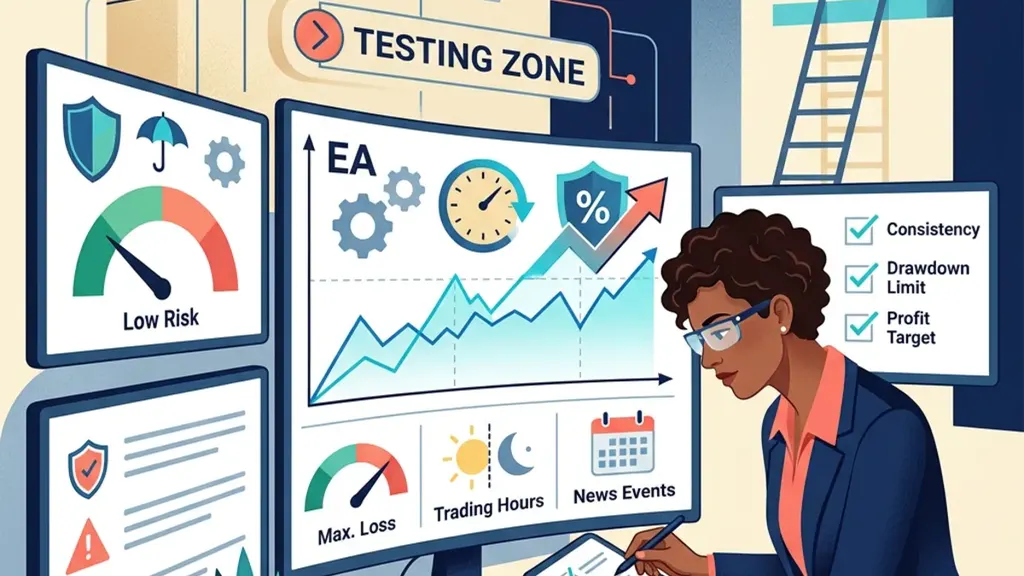
Data loss is an avoidable disaster if you establish a simple, consistent backup routine. For any vps for forex ea, you should store your strategy files, presets, and logs in a cloud-synced directory or an external drive. If your server provider experiences a catastrophic failure, your local copies ensure you can restore your trading environment on a new machine within minutes. Never save your primary configuration only on the server where you execute trades. That is a single point of failure that could delete months of hard work and optimization.
Version control is just as important as file storage. Whenever you modify your EA's inputs, save the new preset with a descriptive filename that includes the date and the specific reason for the change. If your performance starts drifting, you can compare the new settings to previous versions to see what shifted. Don't just overwrite your files. By keeping an archive of previous versions, you create a history of your decision-making process. This helps you determine if your strategy's failure is due to market changes or your own parameter tweaks.
Maintain external audit trails
Logging is your most valuable asset during troubleshooting. Ensure your EA writes detailed events to a file that you can easily move off the server. If your strategy stops trading, the first place you look should be these logs. They explain why a trade was skipped, whether an error occurred, and how the EA perceived the market at that exact moment. Don't rely solely on the built-in terminal logs, which can be truncated or deleted. Externalize your logs to ensure you have a permanent audit trail of your automated activity.
Consider the scenario where you need to move your EA to a different account. Without a structured backup of your presets and specific indicator files, you will waste hours reconstructing your setup. Maintain a master template folder that contains all the files needed for a fresh installation. When you need to set up a new account, you simply copy the entire folder over and adjust the account-specific variables. This approach significantly reduces the time spent on manual configuration and minimizes the risk of human error during the setup process.
Move an EA between servers safely
Moving your automated trading setup to a new host is a common task that requires strict adherence to a checklist. If you decide to migrate your vps for forex ea, the process starts with verifying compatibility on the target server. Check if the Windows version, the available RAM, and the latency to your broker are suitable for your specific EA. Never move your strategy live until you have tested the new environment for at least 24 hours with a dummy account. This confirms that all dependencies and libraries are installed and functioning as intended.
When transferring files, avoid just copying and pasting the whole terminal directory. Instead, perform a clean install of the broker’s software and then import only your necessary custom EAs, indicators, and configuration files. This prevents legacy errors or corrupted DLLs from being carried over to the new, healthy environment. Before you shut down the old server, export your open positions list and ensure you have a copy of the latest statement. This verifies that you know exactly what is open before moving to the new machine.
Update strategy history after migration
Synchronization of account history is the biggest challenge during a migration. If your EA depends on previous trade history to calculate position sizing, a clean install might leave it blind to those earlier trades. You may need to manually import your history or adjust the initial variable values to reflect your current account state. Always check the EA's internal memory after the move. If it doesn't recognize your open trades, it might try to open them again or trigger an error. This is a critical step that many traders overlook.
After the move, closely monitor your EA for the first few sessions. Ensure it is executing trades at the expected price levels and not experiencing any strange latency issues. Compare the execution times on the new server with your historical logs from the old one. If you notice that orders are taking significantly longer to fill, you might have chosen a server location too far from your broker's datacenter. Don't rush into full-scale operations until you are absolutely certain that the environment is stable and performing at least as well as your previous setup.
Compare the full monthly operating cost
Hidden costs can quickly erode the profitability of your automated strategy. When evaluating a vps for forex ea, don't just look at the monthly subscription fee. Factor in the cost of your time, the value of reliable support, and any additional software licenses required to secure your environment. If a cheap host saves you $10 a month but requires hours of manual maintenance because of frequent downtimes, it is ultimately more expensive. Calculate your total cost of ownership over a 12 month period to understand the real impact of your hosting choices.
Many providers offer introductory pricing that jumps significantly after the first three months. When you budget for your trading, ensure you are looking at the standard renewal rate, not the promotional price. Also, check if your host charges extra for bandwidth, dedicated resources, or advanced support. If your strategy sends many requests to the broker's server, a host that caps your traffic could lead to performance bottlenecks. Read the fine print on these costs to avoid any surprises when your billing cycle resets and your expenses suddenly double.
Insure against technical downtime costs
Consider the opportunity cost of an unreliable server. If a system outage causes you to miss a trade or fail to close a position on time, the resulting loss is a very real cost. Compare the potential financial impact of a disaster against the annual cost of a premium, stable hosting solution. Often, paying a bit more for a service that guarantees uptime and offers quick technical support is a form of insurance for your trading account. Don't try to save money by choosing a service that doesn't meet the professional requirements of your EA.
Finally, account for the currency conversion rates if you are paying for your server in a foreign currency. These fluctuations can add unexpected costs over a year. If possible, lock in an annual subscription to avoid these variances and potentially secure a discount. By viewing your hosting not just as a utility but as a critical business component, you will make better financial decisions. Keep a spreadsheet of all your related costs to see if your automation is actually creating a positive return after accounting for all these overheads.
Check prop firm location and access policies
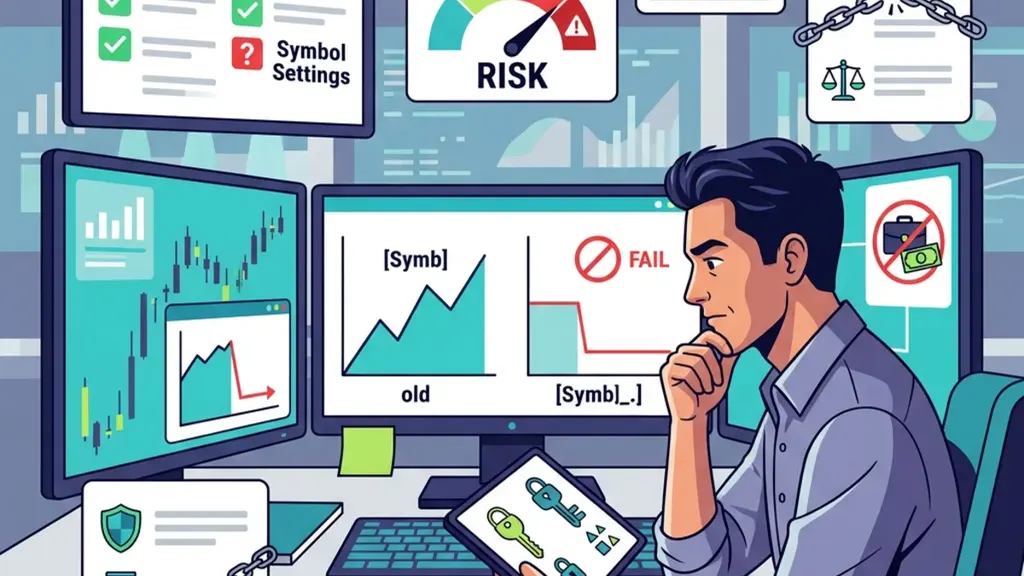
Each trading firm has specific rules regarding where and how you access your account. When you use a vps for forex ea to manage a funded account, you must confirm that the hosting provider's IP range is not blocked or flagged by the firm. Some platforms have strict requirements about account access and may trigger a security warning if they detect a login from an unknown data center. Always contact your firm's support to ask if using a dedicated server is permitted and if you should whitelist your IP address.
Geography plays a major role in how these firms view your connection. If your firm expects you to be in a specific region, logging in from a server in a different country might look suspicious. Before you set up your remote server, check your account's regional restrictions. If you must use a specific location, choose a hosting provider that offers data centers in that area. This ensures your connection remains compliant with the terms you signed, preventing any potential disputes regarding how you accessed the platform and executed your trades.
Confirm compliance with latency policies
Some firms have explicit policies against using certain types of high-frequency EAs that exploit latency. If you use a vps for forex ea to gain a speed advantage, you could inadvertently violate these rules. Read the terms of service for your specific account type carefully. If the language is ambiguous, don't guess. Ask for written clarification on whether your specific approach is allowed. It is far better to change your strategy now than to have your account terminated later for a violation of the rules you didn't fully understand.
Consistency in your access habits is a strong indicator of a professional trader. If you switch between local connections and remote servers constantly, you might trigger security alerts on your account. Try to keep your access consistent. If you choose to trade via a server, make that your primary method and stick to it. If you ever have to log in from a different location for an emergency, inform your firm's support team ahead of time. This transparency can save you from a lot of trouble and protect your reputation with the firm.
Rehearse an incident recovery runbook
A disaster is not the time to decide what to do. You need a written plan that guides your actions during a technical crisis. When your vps for forex ea stops responding, your first step should be to check your broker's status to confirm if the outage is universal or specific to your server. If it is just you, move immediately to your backup terminal on your local machine. Having a pre-installed, pre-configured backup terminal ensures you can take over management of your trades within seconds of realizing the main system has failed.
Your runbook should define the exact conditions for manual intervention. If your server goes down, how long do you wait before you decide it is time to intervene? Define this threshold clearly. For example, if the server is unreachable for more than 5 minutes, you will log in from your mobile to assess the open positions and potentially flatten them. Having this decision process written down prevents you from panic-closing positions due to temporary network jitters. It keeps your decision-making calm, logical, and disciplined during times of high market stress.
Simulate emergency server failure scenarios
Test your recovery process every few months. Simulate a complete loss of the remote server and practice switching over to your backup environment. This practice reveals flaws in your plan, such as missing credentials, outdated software versions, or a failure to remember your login details. If you can't complete the full recovery process within 10 minutes during a practice run, you need to simplify your setup. The goal is to make the recovery process so familiar that you can execute it under pressure without needing to think.
Include contact information for your broker and your hosting provider in your physical runbook. If you have to call for help, you don't want to be searching for numbers while your account is bleeding capital. Keep a copy of your account rules, your emergency contacts, and your recovery steps in an accessible location outside your computer. This gives you a fallback if you lose your phone or access to your digital files. A well-prepared trader is much less likely to let a minor technical glitch turn into a major loss.
Choose a hosting arrangement you can maintain
The most advanced system in the world is useless if you cannot maintain it. When choosing your infrastructure for a vps for forex ea, be honest about your technical skill. If you are not comfortable with advanced networking, don't choose a self-managed server that requires constant patching and configuration. Instead, opt for a managed service where the provider handles the OS updates, security patches, and hardware maintenance. You are paying for the peace of mind that your environment will remain stable without your constant, manual oversight.
Your environment needs to match your trading lifestyle. If you travel frequently, you need a setup that is accessible from anywhere and reliable enough to run for days without your check-ins. If you prefer to have full control, be prepared for the reality that you are the system administrator. If you make a mistake with a firewall setting or a system update, you alone are responsible for the fallout. Choose an arrangement that matches your willingness to manage these technical responsibilities, rather than just choosing based on the lowest monthly fee.
Plan for future hardware scalability
Think about the scalability of your hosting choice. If you plan to add more terminals or more complex strategies in the future, does your current hosting allow for easy resource upgrades? A provider that allows you to upgrade your RAM or CPU with one click is much more convenient than one that requires you to migrate to a completely new server. Think about your needs for the next 12 months, not just the next 30 days. Building your environment correctly from the start saves you from needing to do a full migration later on.
Ultimately, the best hosting arrangement is one that disappears into the background of your trading business. It should simply be there, working quietly, without you ever having to think about it. If you find yourself constantly wrestling with your server, your hosting setup is a hindrance to your actual trading. Take the time to refine your choice until you have an environment you can trust. A stable, low-maintenance foundation allows you to keep your focus on what actually matters, which is the strategy and the execution of your trades.

Common questions
Can I expect a VPS to solve my slippage issues?
No. A server reduces the distance between your software and the broker, which may improve execution times, but it does not remove market slippage. Slippage occurs due to market volatility, low liquidity, and the nature of the order execution itself. Use a server to ensure connectivity, but never assume it provides a guarantee against slippage, especially during high-impact news releases or market gaps.
Does running a VPS guarantee my strategy will be profitable?
Absolutely not. A server is merely a tool for providing reliable access to your trading environment. Profitability depends entirely on the quality of your strategy, your risk management, and your ability to adapt to changing market conditions. A well-hosted unprofitable strategy will simply lose money more consistently. Focus on testing and refining your approach before blaming or relying on infrastructure to achieve consistent success.
What should I do if my terminal keeps disconnecting?
First, check your server's internet connection and resource usage. High CPU or RAM usage can cause terminal instability. Next, review your terminal logs for error messages related to authentication or server connection issues. If the problem persists, contact your hosting provider to ensure there are no issues at the data center level. Do not ignore these warnings, as a disconnected terminal cannot manage your open positions.
How do I know if my server has enough resources?
Monitor your Task Manager during active trading hours. If your CPU usage consistently stays above 70% or your memory is nearly full, your terminal will eventually suffer from lag and potential crashes. You should always have headroom to handle unexpected bursts in activity. If you are near these limits, upgrade your plan. A smooth, responsive system is essential for maintaining control over your automated trades during volatile market moves.
How can I tell if my latency is actually impacting my trades?
Compare the timestamp on your strategy's entry signal with the timestamp in the broker's execution logs. If there is a consistent delay of more than a few hundred milliseconds, your latency may be negatively affecting your fills. Monitor these gaps during high-volatility events, as that is when latency is most likely to cause slippage. If your strategy relies on rapid fills, investigate the physical distance between your server and the broker's datacenter to reduce network transit time.
Can I use multiple VPS providers to increase my redundancy?
Yes, you can run identical setups on two different providers, but you must be careful. If both systems attempt to open the same trade, you will double your risk and potentially violate your account's order limits. Only one server should be allowed to place orders at any given time. Use a master-slave configuration or a shared-state logic where the secondary server stays in standby mode and only activates if it confirms that the primary server has completely stopped trading.
What is the biggest risk of using an EA for a funded account?
The biggest risk is failing to understand the account rules while trusting the software to manage your capital. If the EA triggers a forbidden trading practice or ignores your risk parameters, you are still responsible for the resulting breach. Always verify that your EA's logic is fully compatible with your firm's specific drawdown, consistency, and news-trading policies. A perfectly functioning piece of code can still lead to a permanent account closure if it violates a core platform rule.
Is it worth paying for a dedicated server instead of a cheaper shared plan?
For most traders, a dedicated or high-quality private instance is worth the extra cost. Shared plans can suffer from noisy neighbors where other users hog CPU or RAM, causing your terminal to freeze or lag. In automated trading, consistent performance is critical. A dedicated server ensures that your resources are available exclusively for your terminals. If your strategy manages significant capital, the cost of a dedicated instance is a small premium to ensure stability, reliability, and security during your operations.